AI agent development means building software that uses a large language model to plan and complete multi-step tasks on its own: reading a request, deciding what to do, and using your business tools to finish the job. Costs typically run from around $10,000 for a scoped pilot to six figures for production systems. Start with one painful, repetitive workflow, not a company-wide rollout.
The gap between the hype and the practice is wide right now. Vendors slap the word “agent” on ordinary chatbots, boards demand an AI strategy by Friday, and meanwhile the companies quietly getting value are the ones that picked one boring workflow and automated it properly. This guide covers what agents genuinely do well, what they cost, why so many projects get canceled, and the order of operations that separates the successes from the write-offs.
What Is an AI Agent, Exactly?
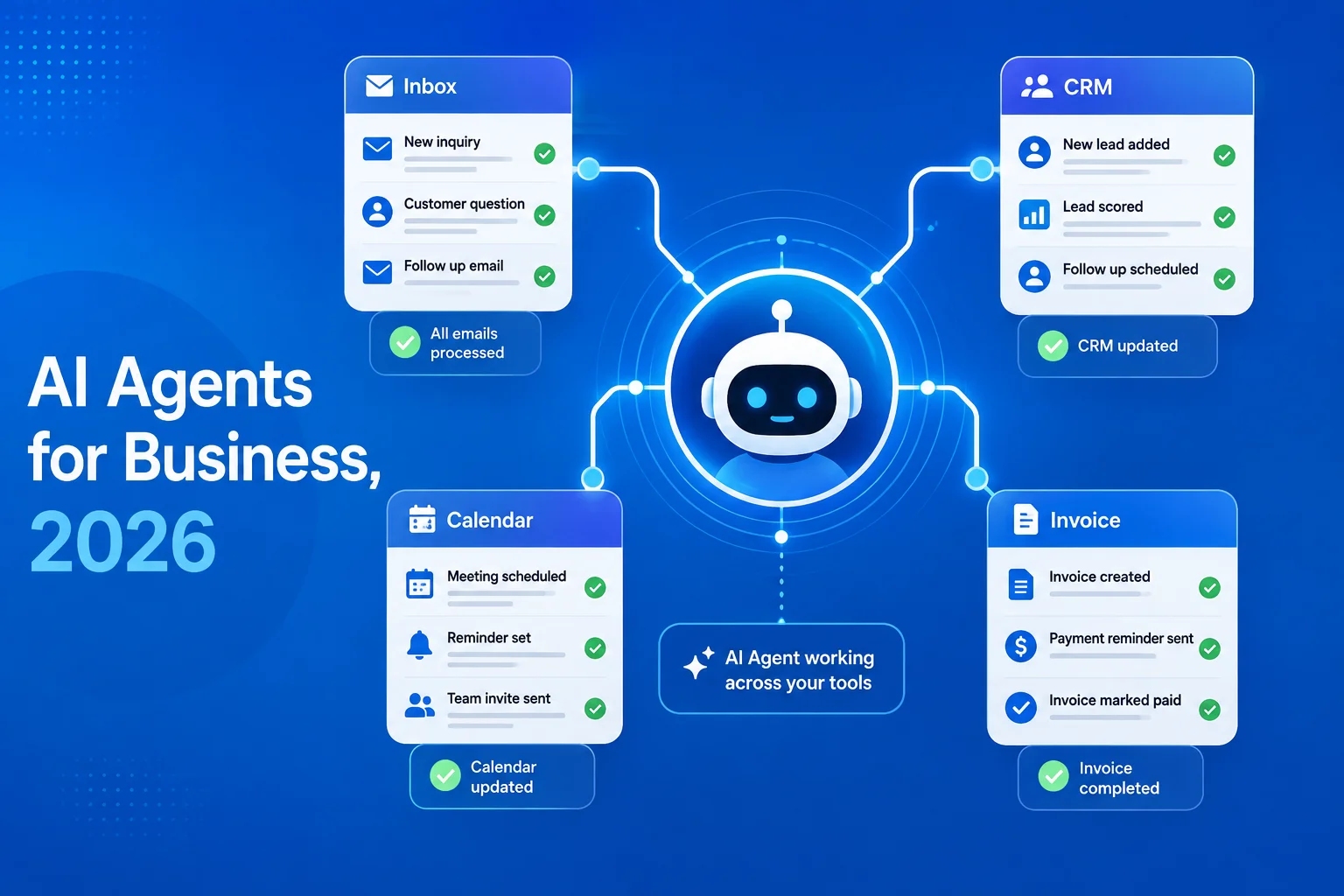
An AI agent is software that pursues a goal rather than following a script. You give it an objective, such as “resolve this support ticket” or “prepare this invoice for approval,” and it decides the steps: reading context, calling your systems through APIs (the connections that let software talk to other software), and taking action, looping until the task is done or a human needs to step in.
That autonomy is what separates agents from the two things they get confused with. A chatbot answers questions but takes no action. Traditional automation, such as RPA (robotic process automation, which replays fixed clicks and keystrokes), takes action but cannot handle anything outside its exact script. An agent sits in the middle: it acts, and it copes with variation.
| Chatbot | Traditional automation (RPA) | AI agent | |
|---|---|---|---|
| What it does | Answers questions | Repeats a fixed process | Plans and completes tasks |
| Handles unexpected input | Somewhat | No; breaks or stops | Yes, within limits |
| Takes real actions in your systems | Rarely | Yes, exactly as scripted | Yes, choosing steps itself |
| Best at | FAQs, first-line support | High-volume identical tasks | Multi-step work with variation |
| Fails when | Question needs action | Process changes | Task needs judgment it wasn’t given |
The distinction matters because a lot of what is sold as agents is not. Gartner estimates that of the thousands of vendors claiming agentic AI, only about 130 offer the real thing, a practice it calls “agent washing.” When a tool is described as an agent, the test is simple: does it decide steps and take actions on its own, or does it just chat?
Adoption is real despite the noise. McKinsey’s State of AI survey found 62% of organizations at least experimenting with AI agents in 2025, with 23% already scaling them, and Gartner projects that 33% of enterprise software applications will include agentic AI by 2028, up from under 1% in 2024.
What Can AI Agents Do for a Business?
AI agents earn their keep on work that is repetitive enough to automate but variable enough to break scripts. In practice, the use cases that deliver first are unglamorous:
- Customer support triage and resolution. An agent reads incoming tickets, answers the ones covered by your documentation and order data, and routes the rest to humans with context attached. This is the most common first agent because volume is high and every resolved ticket has a measurable cost.
- Internal knowledge answers. An agent connected to your policies, past projects, and documentation answers employee questions (“what is our refund process for annual plans?”) instead of the question interrupting whoever knows.
- Data entry and reconciliation. Reading invoices, matching them to purchase orders, flagging mismatches, and entering clean records into your accounting system. Agents tolerate the format variations that break traditional automation.
- Sales operations. Researching inbound leads, enriching CRM records, drafting personalized follow-ups for a human to approve, and keeping pipeline data current.
- Report preparation. Pulling numbers from several systems, assembling the weekly operations or finance report, and highlighting anomalies for review.
- Scheduling and coordination. Handling the back-and-forth of booking, rescheduling, and reminding across calendars, customers, and staff.
A concrete example makes the shape clearer. A logistics client’s operations team spent hours daily on carrier status emails: reading them, extracting dates and exceptions, and updating shipment records. A script could not survive the format chaos of forty different carriers; a human found the work numbing. An agent now reads each email, extracts the structured facts, updates the record, and flags only the genuinely ambiguous cases for a person. Nothing about it is futuristic. It is a boring workflow done reliably at volume, which is precisely the profile of an agent that pays for itself.
Notice what is not on this list: strategy, creative direction, final approvals, anything where a wrong answer is expensive and hard to catch. The pattern across every good use case is the same. High volume, clear success criteria, tolerable cost of error, and a human checkpoint where the stakes justify one.
The honest adoption picture is worth knowing before you pick a use case. In the same McKinsey research, only 39% of organizations using AI report any impact on enterprise-level earnings. The difference between the winners and the rest is rarely the model; it is choosing workflows where success is measurable and wiring the agent properly into real systems. That wiring runs through your existing software, which is why our API integration guide is the unglamorous companion reading to every agent project.
How Much Does AI Agent Development Cost?
AI agent development typically costs $10,000 to $50,000 for a scoped single-workflow pilot, $50,000 to $150,000 for a production agent integrated with several business systems, and $150,000 or more for complex multi-agent systems. These figures reflect what we scope and quote in our own pipeline; treat them as market observation from one firm, not audited industry data.
| Tier | What you get | Typical range | Timeline |
|---|---|---|---|
| Pilot | One workflow, one or two integrations, human review on every action | $10K–$50K | 4–8 weeks |
| Production agent | Hardened version of a proven pilot: monitoring, error handling, 3–5 integrations, selective autonomy | $50K–$150K | 2–4 months |
| Multi-agent system | Several coordinated agents across departments, with governance and audit trails | $150K+ | 4+ months |
Two cost categories surprise first-time buyers. The first is running costs: agents call commercial language models per request, so a high-volume agent has a monthly usage bill that scales with the work it does. Well-designed agents route simple steps to cheap models and reserve expensive ones for hard reasoning, which can change the monthly bill several-fold. The second is maintenance: models get updated, your business processes change, and the edge cases an agent mishandles need periodic review. Budget for ongoing attention the way you would for any custom software development, because that is what an agent is.
It helps to know what a serious quote should include, because comparing quotes line by line is where founders catch weak vendors. Expect discovery and workflow measurement, integration work for each connected system, the agent logic itself, an evaluation suite (a battery of test cases the agent must pass before and after every change), monitoring and logging, and a supervised rollout period. A quote that is just “we build the agent” with none of the surrounding scaffolding is priced low because it omits the parts that make agents dependable.
What moves the price most is not intelligence; it is integration depth and error tolerance. An agent that drafts replies for human approval is cheap. An agent allowed to act unsupervised inside your accounting system needs guardrails, logging, and testing that cost real engineering time. Paying for that safety on workflows that need it is exactly the right trade.
Why Do So Many AI Agent Projects Fail?
Most failed agent projects die from unclear value, not weak technology. Gartner predicts that over 40% of agentic AI projects will be canceled by the end of 2027, citing escalating costs, unclear business value, and inadequate risk controls, and our experience matches all three.
The pattern we see when a founder brings us a failed project is consistent. The project started with the technology (“we need agents”) instead of a workflow (“ticket triage eats 30 hours a week”). Nobody defined what success would look like in numbers, so six months later nobody could say whether it worked. The agent was demoed on clean examples and shipped into messy reality, where it met the edge cases nobody had catalogued. And there was no human checkpoint, so the first expensive mistake became an argument for killing the whole program rather than adjusting one permission.
Every one of those failures was preventable at the scoping stage, which is why the step-by-step process below front-loads the boring parts. Automating a process nobody measured is how you spend six figures learning what you should have written down in week one. We cover the broader shift behind this in how AI is changing custom software development, but the short version is that the engineering discipline still decides the outcome; the model just raises the ceiling.
When Should You NOT Build an AI Agent?
Skip the agent when a simpler tool does the job, and be suspicious of anyone who never says this. Several situations argue clearly against agent development:
The workflow never varies. If the process is identical every time, deterministic automation is cheaper, faster, and more reliable than an agent. A script does not hallucinate (confidently produce wrong output, as language models sometimes do). A large share of the “agent” projects we scope end up as ordinary business automation services with no language model involved, at a fraction of the cost, and clients are better off for it.
Your data is not ready. An agent answering from outdated documentation or a chaotic CRM automates the distribution of wrong answers. If your knowledge base is stale, fix that first; it improves the humans immediately and makes an agent viable later.
Errors are catastrophic and hard to detect. Wire transfers, medical decisions, legal filings. Agents belong in these domains only as preparers and drafters with mandatory human approval, if at all.
Compliance rules the domain. Regulated data (HIPAA in healthcare, financial records) constrains which models you can use, where data can flow, and what must be logged. This does not rule agents out, but it moves the cost up a tier, and a vendor who does not raise the question early is a red flag.
You want it because competitors announced it. A pilot chosen for a press release rather than a measured pain point is how projects join Gartner’s cancellation statistic.
None of this is anti-AI caution for its own sake. It is sequencing: agents built on measured workflows and clean data compound; agents built on hype get canceled.
How Do You Start AI Agent Development? A Step-by-Step Plan
The path from idea to working agent takes one to two months for a pilot when the steps happen in the right order:
- Pick one workflow and measure it. Choose something repetitive, high-volume, and annoying. Write down what it costs today: hours per week, error rate, delay. This number is what the agent has to beat.
- Define success and autonomy limits. Decide the metric (“resolve 40% of tickets without human touch”) and what the agent may do alone versus what needs approval. Start with approval on everything.
- Audit the data and systems it needs. List every system the agent must read or write, confirm APIs exist, and check the documentation it will rely on is current. Fix gaps before building.
- Build the narrowest useful version. One workflow, minimal integrations, human review on every action. Resist scope; breadth is what the second version is for.
- Run it in the loop for two to four weeks. Compare agent output to what your team would have done. Catalogue every failure case; this list is the real specification.
- Grant autonomy gradually. Let the agent act alone only on the categories it has proven, keeping approval for the rest. Add monitoring so you can see what it did and why.
- Measure against the week-one number, then expand. If the metric moved, harden the pilot into production and pick the next workflow. If it did not, you have spent a pilot budget learning that, which beats spending a production budget on it.
A word on technology choices, because founders often worry about them in the wrong order. The building blocks are commercial model APIs (from providers such as OpenAI, Anthropic, and Google), orchestration frameworks that manage the agent’s steps and tool calls, and the connections into your systems. These choices matter, but they are swappable; the workflow selection, success metric, and autonomy limits above are not. A competent team can migrate an agent to a better model in days. Nobody can rescue an agent pointed at the wrong problem. Pick the partner for their scoping discipline first and their framework preferences second.
Should You Build a Custom Agent or Buy One Off the Shelf?
Buy when your workflow is generic; build when the workflow is your business. Off-the-shelf agents for support, scheduling, and meeting notes are improving fast and cost a subscription instead of a project. The build case begins where your process, systems, or data stop being generic:
| Factor | Off-the-shelf agent | Custom agent |
|---|---|---|
| Cost shape | Monthly subscription per seat or usage | Project cost up front, lower marginal cost after |
| Fit to your process | You adapt to it | It adapts to you |
| Integration with your systems | Standard connectors only | Anything with an API, including internal tools |
| Data control | Your data flows through vendor infrastructure | You choose where data lives and which models see it |
| Differentiation | Competitors can buy the same thing | Yours alone |
| Best for | Generic workflows (notes, basic support, scheduling) | Core operations, proprietary data, regulated domains |
A practical hybrid is common: buy the generic agents, and reserve custom development for the one or two workflows where your way of doing things is the advantage. That keeps the project budget pointed at the work that actually differentiates you.
Frequently Asked Questions
What is an AI agent in simple terms?
An AI agent is software that completes tasks on its own instead of just answering questions. Given a goal, it reads the context, decides the steps, uses your business systems to act, and loops until the job is done or a human needs to decide. Think of it as a junior employee for one specific workflow, with supervision you control.
How much does it cost to develop an AI agent?
In our pipeline, a scoped single-workflow pilot runs $10,000 to $50,000, a production agent with several integrations $50,000 to $150,000, and multi-agent systems $150,000 and up. Add ongoing costs: model usage fees that scale with volume, plus maintenance as your processes change. Simple deterministic automation is cheaper when the workflow never varies.
How long does it take to build an AI agent?
A working pilot takes four to eight weeks, including two to four weeks of supervised operation before you trust the results. Hardening a proven pilot into production takes another two to four months depending on integrations and autonomy. Timelines stretch most when the underlying data or documentation needs cleanup first, which is common.
What is the difference between an AI agent and a chatbot?
A chatbot talks; an agent acts. Chatbots answer questions and hand anything requiring action to a human. An agent takes the action itself: looking up the order, issuing the refund, updating the record, escalating only what exceeds its limits. Many products marketed as agents are chatbots with a new label, so test for autonomous action before believing one.
Do AI agents replace employees?
In our client work, agents absorb the repetitive portion of roles rather than the roles themselves. The measurable effect is capacity: support teams handle more tickets without hiring, operations staff stop doing manual reconciliation. Judgment, relationships, and exceptions stay human, and every well-designed agent has explicit points where a person reviews or decides.
What data do you need to build an AI agent?
Current, accurate documentation of whatever the agent will act on: policies, product data, process rules, and access to the systems involved through APIs. The agent’s ceiling is your data’s quality; stale documentation produces confidently wrong answers at scale. Most agent projects begin with one to two weeks of cleaning and structuring exactly that.
Are AI agents safe for handling customer data?
They can be, with deliberate design. Safety comes from architecture: limiting which systems the agent can touch, choosing where data is processed, logging every action for audit, and keeping humans in the approval loop for sensitive operations. In regulated industries, model choice and data flow must meet compliance requirements, which raises cost but is entirely workable.
Can small businesses afford AI agents?
Increasingly, yes. Off-the-shelf agents cost a monthly subscription and cover generic workflows like scheduling and basic support well. Custom pilots at the $10,000 to $25,000 end make sense once a repetitive workflow measurably costs more per year than the build. The wrong move at small-business scale is a large speculative project; the right one is a narrow pilot with a payback measured in months.
Ready to Automate the Right Workflow?
The best first step costs nothing: name the workflow that eats the most hours for the least judgment, and put a number on it. Bring us that number and we will tell you plainly whether it calls for an agent, plain automation, or nothing yet. Book a free consultation and we will map the pilot that pays for itself first.
Conclusion
The best first step costs nothing: name the workflow that eats the most hours for the least judgment, and put a number on it. Bring us that number and we will tell you plainly whether it calls for an agent, plain automation, or nothing yet. Book a free consultation and we will map the pilot that pays for itself first.