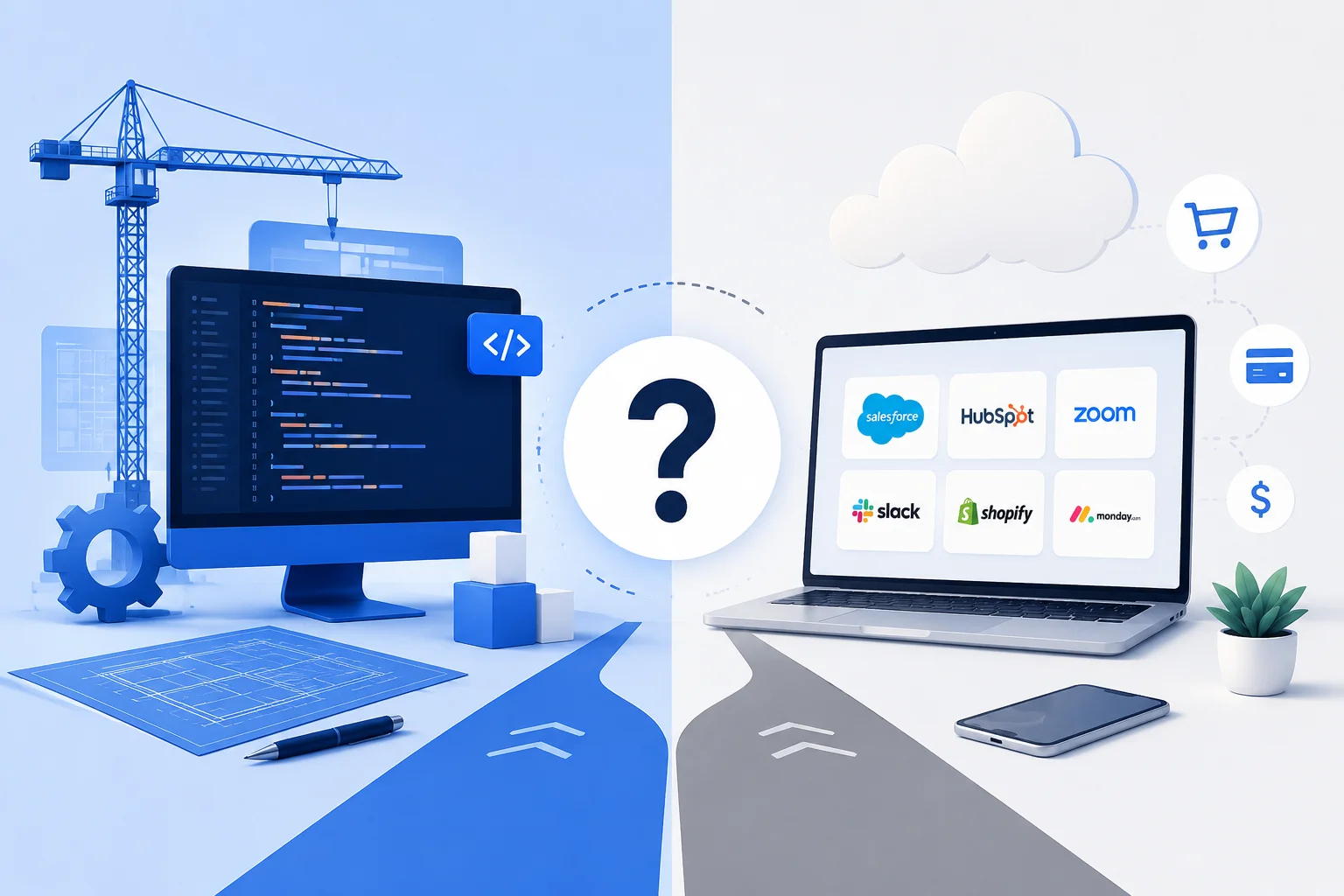
The build vs buy software decision comes down to differentiation. Buy off-the-shelf tools for problems every business shares, like email, accounting, and HR. Build custom software when the process is how you win, when subscriptions cannot fit your workflow, or when per-seat fees outgrow a build. Most companies should buy most of their software and build one or two systems.
That last sentence is the part vendors on both sides leave out. SaaS companies want you subscribing to everything; development agencies want you building everything. As a firm that earns money only when you build, we have an obvious bias, which is exactly why this guide starts with the case for buying and treats building as the exception that has to justify itself. It usually doesn’t. When it does, it tends to matter more than any other technology decision the company makes.
What Does Build vs Buy Actually Mean in 2026?
Build vs buy is the choice between subscribing to software someone else made for everyone, and paying to create software shaped for you alone. Twenty years ago that was the whole menu. Today it is a spectrum: pure SaaS (software as a service, subscription tools like Slack or QuickBooks), configurable platforms like Salesforce that bend partway to your process, low-code tools that let non-engineers assemble internal apps, and fully custom systems built to your workflow.
The stakes keep growing because the spending keeps growing. The latest Gartner IT spending forecast puts worldwide software spending at $1.47 trillion for 2026, growing 15.5% year over year, faster than IT spending overall. Every company is accumulating software; the question is whether the stack accumulates by decision or by default.
Default is the common path, and it has a familiar shape. A team adopts a tool for one job, then another, then a third that overlaps the first two. Five years later the company runs on forty subscriptions, three of them doing the work of one, none of them fitting the core workflow, with spreadsheets bridging the gaps. Nobody chose that stack; it accreted, one reasonable decision at a time, and unwinding it costs more attention than preventing it would have. Build vs buy is not really a single decision; it is a discipline applied per system, and the rest of this guide is that discipline written down.
Build vs Buy Software: How Do the Options Compare?
Buying wins on speed and predictability; building wins on fit and ownership. The full trade-off:
| Factor | Buy (off-the-shelf / SaaS) | Build (custom software) |
|---|---|---|
| Cost shape | Low entry, per-seat or per-usage forever, rises with headcount | High entry, then maintenance; cost roughly flat as you grow |
| Time to value | Days to weeks | Months |
| Fit to your process | You adapt to it | It adapts to you |
| Ownership | You rent; vendor owns roadmap, pricing, and your workflow’s home | You own the asset and the roadmap |
| Maintenance | Vendor’s problem | Your budget line, forever |
| Differentiation | Competitors buy the same tool tomorrow | Yours alone |
| Exit risk | Price hikes, feature removal, acquisition, shutdown | Depends on your team and documentation |
| Best for | Commodity functions every business shares | The workflow that makes you different |
The table hides one asymmetry worth stating plainly: buying mistakes are cheap to reverse and building mistakes are not. Canceling a subscription costs a migration headache. Abandoning a half-built custom system costs the full spend plus the months. That asymmetry is why the sensible default is buy, and why the build case must be affirmative, not aesthetic.
When Should You Buy Off-the-Shelf Software?
Buy whenever your need is a problem thousands of other companies share in the same shape. For commodity functions, a SaaS vendor has already spent millions solving edge cases you have not imagined yet, and splits that cost across every customer. You will never build a better email system, accounting package, payroll processor, calendar, video call tool, or password manager than you can rent, and trying is a fast way to burn a year.
The buy signal extends further than most builders admit. Buy when your process in that area is unremarkable and should stay that way. Buy when you need the capability this quarter, because no build arrives that fast. Buy when the team that would specify the custom system cannot yet describe its own workflow without arguing, since code freezes arguments rather than settling them. And buy when a configurable platform gets you to roughly 80% fit, because the last 20% is often a preference, not a requirement, and preferences are expensive to engineer.
Even heavy configurability has a rentable tier now. CRM platforms, project trackers, and e-commerce storefronts flex a long way before genuinely running out of room; our comparison of custom software vs SaaS walks through the five-year math for exactly that class of tool. The honest rule: if a configured product embarrasses you into better process rather than blocking your actual work, that is a reason to buy it, not build around your habits.
When Should You Build Custom Software?
Build when the workflow is your competitive advantage, and the software available forces you to operate like everyone else. Six signals reliably mark that line:
- The process is how you win. If your fulfillment method, pricing logic, or client experience is why customers choose you, renting the same tool as your competitors flattens the advantage into an industry standard.
- Every tool demands contortion. When your team maintains spreadsheet bridges, double entry, and workaround documents to survive the tools, the subscriptions are no longer saving money; they are taxing every task. The full symptom list is in our guide to the signs you need new business software.
- Per-seat pricing has outgrown the build. Subscription costs scale with headcount; a built system’s costs mostly don’t. Somewhere between 20 and 200 seats, depending on the tool, the lines cross, and waste compounds the problem: Flexera’s State of the Cloud report found organizations wasting 29% of cloud spend, with 85% naming cost management a top challenge.
- Your data needs to work together. When the insight you need lives across four vendors’ databases with no clean way to join it, ownership of the data model becomes the feature no subscription sells.
- The software is the product. If customers will use it, you are not choosing tooling; you are choosing your product, and renting your product is not a strategy.
- Compliance or workflow rules that vendors won’t accommodate. Niche regulatory regimes and genuinely unusual operating models sit outside what mass-market vendors will ever prioritize.
One signal is enough to investigate; two or more usually means the math will favor building. We watched this play out with a local services client who had outgrown a patchwork of generic tools; the custom replacement we built became the operational backbone, and the story of how a local business went digital with a 50% sales increase is the pattern at its best: the build targeted the differentiating workflow, nothing else.
What Do Build and Buy Really Cost Over Five Years?
Over five years, buying costs scale with your team and building costs mostly don’t; everything else is detail. Here is the shape of the comparison for a mid-sized operational tool at a 50-person company, using the ranges we quote in our own pipeline; treat the figures as one firm’s market observation:
| Cost line | Buy (specialized SaaS, ~$60/seat/month) | Build (custom workflow system) |
|---|---|---|
| Year 1 | ~$36K in subscriptions | $80K–$150K build |
| Years 2–5 (each) | $36K+, rising with seats and price increases | $15K–$30K maintenance and improvements |
| Five-year total | $180K–$250K+ | $140K–$270K |
| At 100 seats | Roughly doubles | Roughly unchanged |
The honest reading of that table is that the totals overlap, which is precisely the point: for a stable small team, buying often stays cheaper forever, and the build case strengthens as headcount grows, seats multiply, or the tool sits closer to the core of operations. The crossover is a function of your growth curve, not a universal year number. What moves the build column most is scope discipline, which is why the same tiering logic from our cost to build custom software guide applies here unchanged.
Two costs hide outside the table. On the buy side: price increases you don’t control, the migration cost when a vendor sunsets or gets acquired, and the compounding tax of workarounds, which lands on payroll rather than an invoice. On the build side: the system is only as durable as its maintenance budget, and an unmaintained custom system ages into the very legacy problem it replaced. Neither column contains a free option; the choice is which set of ongoing costs you would rather own.
Run the comparison at your projected headcount, not your current one, because that single adjustment flips more decisions than any other input. A 30-person company planning to be 90 people in three years is not really comparing $36,000 a year against a build; it is comparing $100,000-and-rising against a build whose cost barely notices the growth. The reverse also holds: if headcount is flat and the tool is peripheral, the subscription’s math strengthens every year you leave it alone.
When Is Building Custom Software a Mistake?
Building is a mistake more often than agencies admit, and the failure modes are consistent enough to list:
Rebuilding a commodity. A custom CRM, chat tool, or invoicing system for a company whose sales, communication, and billing are ordinary is paying six figures to reinvent a $50 seat. The differentiation test has to pass first, and “we’d prefer it our way” is preference, not differentiation.
Building without a maintenance budget. A custom system funded as a one-time purchase starts decaying at launch: platforms update, integrations shift, browsers change. If the plan has no annual line of roughly 15 to 25 percent of the build cost, the plan is to create abandonware.
Specifying a process nobody agrees on. Custom software freezes your workflow into code. If the workflow is still an argument between departments, the build will faithfully automate the confusion. Fix the process on paper first; it is the cheapest refactor you will ever do.
Building for the company you hope to be. Scoping for imagined future scale multiplies cost on assumptions no user has validated. Build for the operation you run today with clean architecture that can grow, which is a design discipline, not a bigger budget.
Underestimating the organizational lift. A build needs an internal owner with decision authority, subject-matter time from your best operators, and patience through the messy middle. Companies that cannot spare those should buy, whatever the spreadsheet says, because custom software development is a partnership with your own team, not a purchase from ours.
What About the Hybrid Path?
The realistic answer for most growing companies is both: buy the commodity layer, build the differentiating layer, and connect them. Accounting, email, payroll, and documents stay rented. The one or two workflows that make the business what it is get built, and integrations pull the rented tools’ data into the system you own.
This pattern beats both purist answers for a simple reason: it points expensive, custom effort exclusively at the work that earns its cost, while everything generic rides on subscriptions at commodity prices. In practice most of our engagements are exactly this shape. The build is not “replace the stack”; it is “own the spine.” A custom operations core that reads from your accounting tool and pushes to your messaging tool delivers most of the ownership benefits at a fraction of the replace-everything cost.
A concrete example of the shape: a distribution company we worked with ran quoting, inventory, and delivery scheduling across three subscriptions and a wall of spreadsheets. The differentiator was their quoting logic, fast, unusually accurate quotes were why customers stayed, so that became the build. The custom quoting engine pulls stock levels from the inventory tool and pushes confirmed orders to the same accounting package they had always rented. Total build scope: one system. Subscriptions retired: zero. Spreadsheets retired: all of them. That proportionality is what a well-aimed build looks like.
The hybrid path also de-risks sequencing. Start by buying everything and running lean. When a differentiation signal from the build list appears, and workarounds start taxing the team, build that one system while the subscriptions keep carrying the rest. Nothing about the decision is permanent, and treating it as reversible per-system is what keeps the stakes proportionate.
How Do You Decide? A Step-by-Step Framework
Six steps turn the abstract trade-off into a decision you can defend to a board:
- Name the system, not “software.” Decide per workflow: quoting, scheduling, fulfillment, reporting. Bundled decisions produce bloated builds and sprawling stacks alike.
- Apply the differentiation test. Would doing this workflow differently than competitors win you customers or margin? If no, buy and stop here.
- Price the status quo honestly. Subscriptions plus the payroll hours spent on workarounds, double entry, and reconciliation. The workaround tax is usually the largest and least visible number.
- Get a real build quote at MVP scope. Not the everything-system: the narrowest version that replaces the painful core. Compare five-year totals at your projected headcount, not today’s.
- Check the two failure preconditions. Is there an internal owner with authority? Is there a maintenance budget? Two nos mean buy, regardless of the math.
- Pilot the smallest slice. Whichever way you lean, act small first: a one-team SaaS rollout, or a single-workflow build. Evidence beats projection on both sides of this decision.
Write the outcome down, whichever it is. A one-page record of what you decided, the numbers behind it, and the conditions that would reverse it turns a recurring argument into a scheduled review. When headcount doubles or the vendor raises prices again, you re-run the framework against the page instead of relitigating opinions, and the decision stays as reversible as it should be.
Frequently Asked Questions
What does build vs buy mean in software?
Build vs buy is the decision between creating custom software for your specific workflow and subscribing to ready-made software built for everyone. Buying is faster and cheaper to start, with costs that scale per seat forever. Building costs more upfront, then stays roughly flat while fitting your process exactly. Most companies correctly buy most software and build only where they differentiate.
Is it cheaper to build or buy software?
Buying is almost always cheaper in year one; the five-year answer depends on headcount and fit. Subscriptions scale with seats and rise with vendor pricing, while a built system’s ongoing cost is maintenance, roughly 15 to 25 percent of the build per year. For growing teams using a tool daily at the core of operations, the lines often cross; for stable small teams, buying frequently stays cheaper permanently.
When does custom software pay for itself?
When the tool sits at the core of daily operations and headcount is growing, the crossover typically lands within two to four years, driven by avoided per-seat fees and eliminated workaround hours. The payback case strengthens further when the custom system creates revenue advantages, faster fulfillment, better client experience, that subscriptions cannot, which is where the real returns usually live.
Can I start with SaaS and build custom later?
Yes, and for most companies that is the correct sequence. Renting first keeps you fast while your process stabilizes, and running a mature workflow on rented tools teaches you exactly what the custom version must do. The one precaution: prefer tools with data export and APIs, so the eventual migration inherits your history instead of abandoning it.
What are the risks of building custom software?
The big four: scope creep inflating the build, missing maintenance budget turning the system into abandonware, freezing a process the team hadn’t actually agreed on, and losing the knowledge if the building team departs without documentation. All four are managed by scoping to an MVP, budgeting maintenance from day one, writing the workflow down first, and contracting for documentation and code ownership.
What are the risks of buying software?
Vendor dependence is the umbrella: price increases you cannot control, features removed or repackaged into higher tiers, acquisitions that kill the roadmap, and shutdowns that force migrations on the vendor’s timeline. Below that sits the quieter risk of process conformity, where the tool’s way of working gradually replaces the way that made your business distinct.
Do small businesses ever need custom software?
Less often than agencies suggest, and more often than SaaS marketing implies. A small business with ordinary operations should rent nearly everything. The exception is the small operator whose entire edge is an unusual workflow, where even a modest custom system, often in the $30,000 to $80,000 range, can remove the ceiling that generic tools place on growth.
How long does custom software take to build compared to buying?
Buying deploys in days to weeks including configuration and training. A custom build at MVP scope typically takes three to six months from kickoff to launch, with complex operational systems running longer. The relevant comparison is not deployment speed but time to fit: the subscription is live sooner and may never fit; the build arrives later and fits on day one.
Conclusion
The decision gets easy once the numbers are yours instead of hypothetical, and assembling them takes one conversation. Bring us the workflow, the tools it runs on today, and your headcount curve, and we will run the five-year comparison honestly, including the times the answer is “keep renting.” Book a free consultation and leave with a number, not a pitch.